Stop trusting your memory with your money. Use a Passkey.
Your memory is good. It's just not a vault. With a passkey, you unlock your WireMe wallet the way you unlock your phone, with nothing to remember or forget.

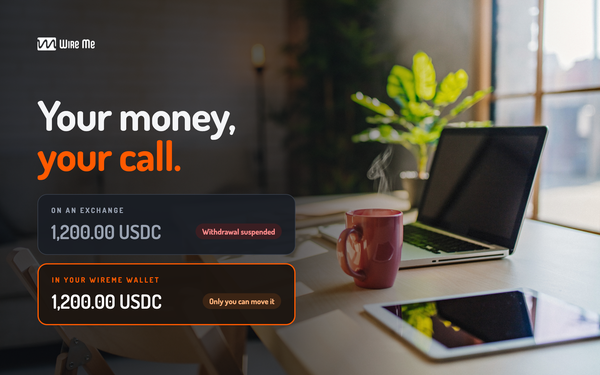
Your memory is good. It's just not a vault. Trusting it with your money is a risk, and because a WireMe wallet is truly yours, it's one worth planning for.
WireMe is non-custodial, which means your wallet belongs to you, not us. That's what keeps your money safe from freezes and holds. It also means we can't reset a lost password and hand the wallet back, the way a bank might. The key to your wallet is yours alone.
A passkey takes memory out of the equation. Instead of a password to remember, you unlock your wallet the way you unlock your phone: with your fingerprint, face or screen lock. Nothing to memorize, nothing to write down and nothing to forget.
What is a passkey?
A passkey is a digital key that your phone creates and keeps safe. There's no secret sitting on a server waiting to be stolen, and it can't be typed into a fake website, so there's nothing for a scammer to trick you into handing over.
Nobody can use it without passing your phone's lock, so a stranger holding your phone still can't open your wallet. Your fingerprint or face never leaves your phone, and WireMe never sees it.
Already built into your phone and laptop
There's nothing to download. Passkeys are built into iPhone, Android, Mac and Windows, and you set yours up as part of creating your WireMe wallet:
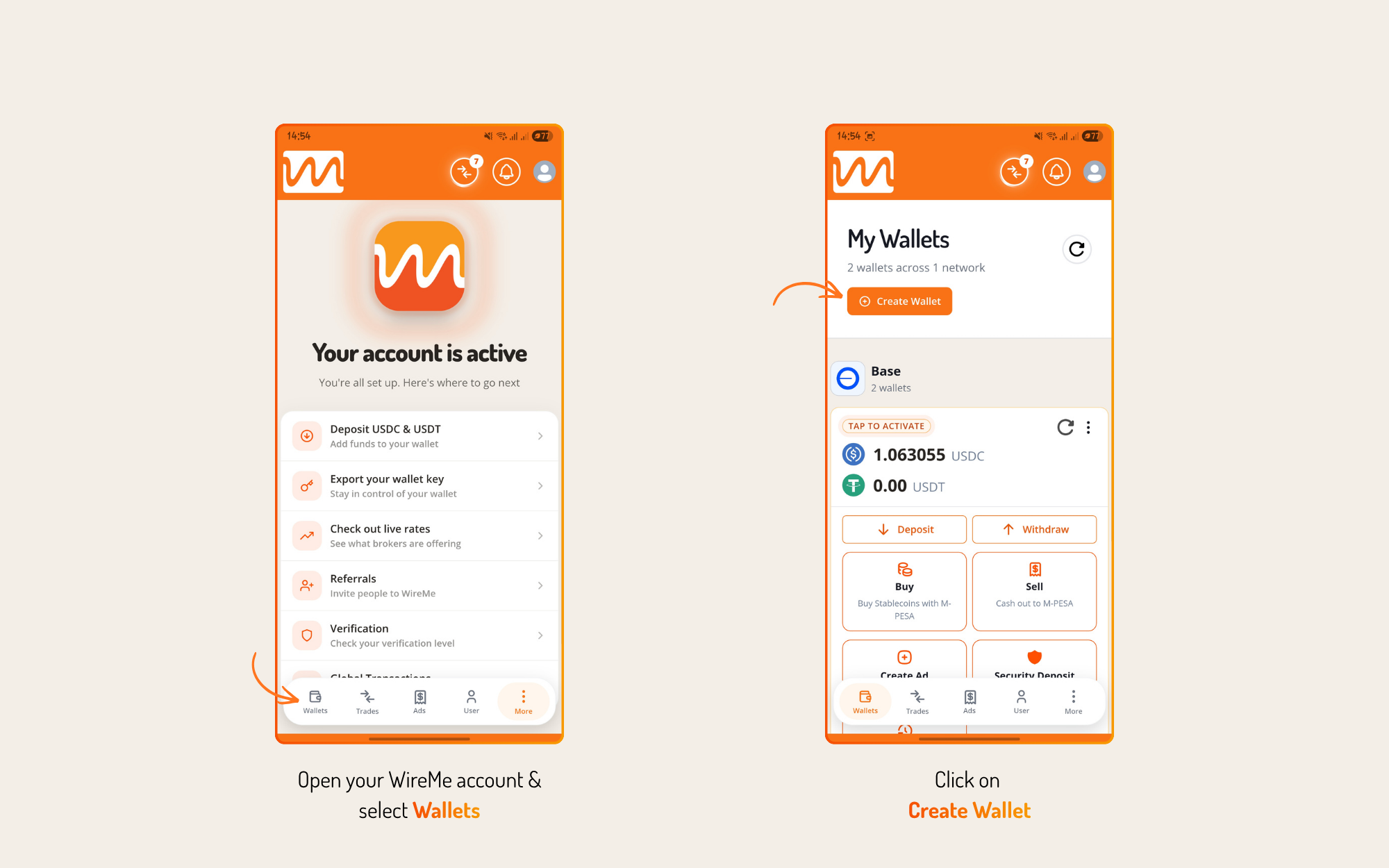
- Open your WireMe account and select Wallets.
- Tap Create Wallet.
- Select your preferred network.
- Select Passkey as your recovery method, then confirm the passkey prompt with your screen lock.
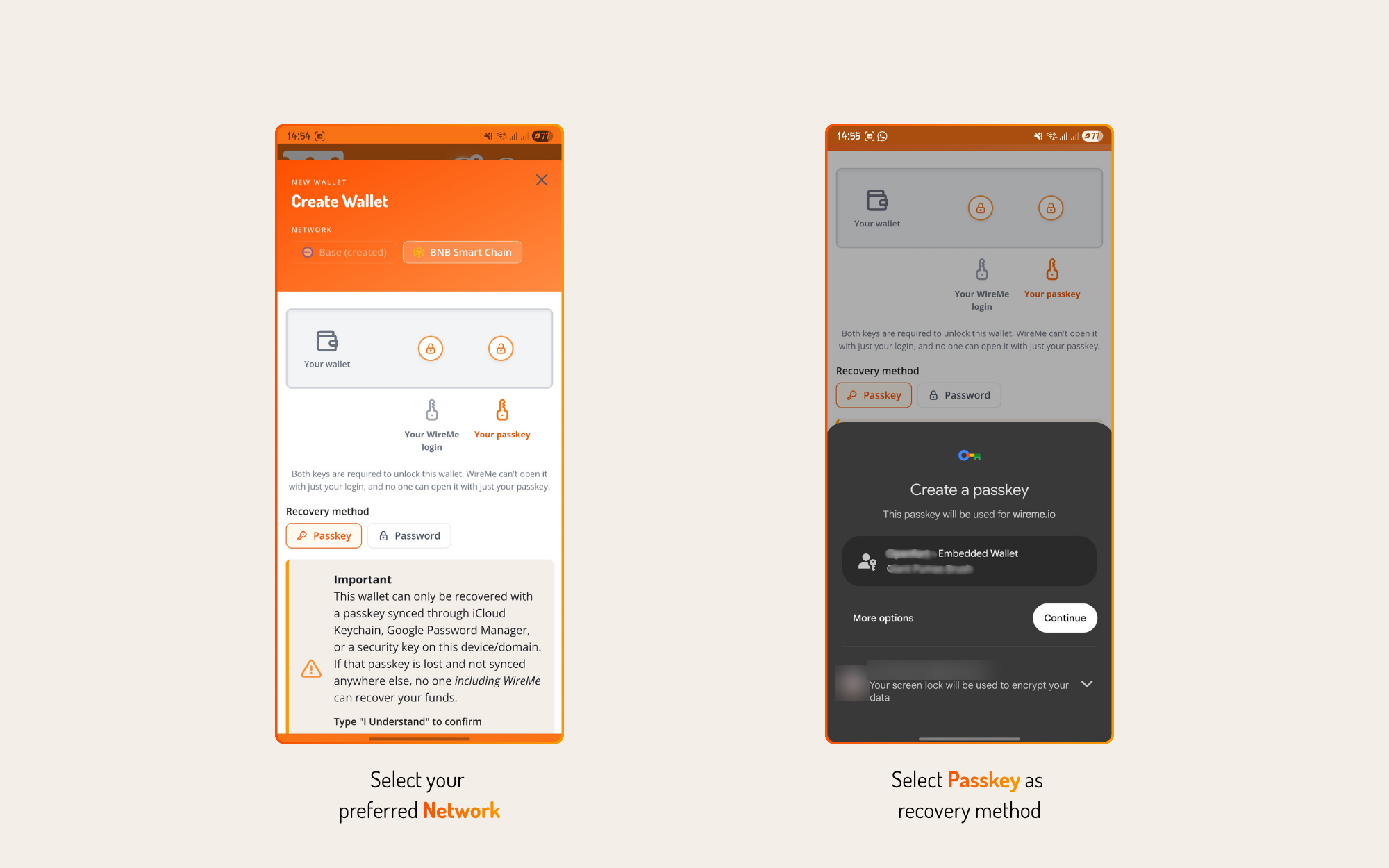
- Type "I Understand" to confirm, then tap Create Wallet with Passkey.
- That's it. Your wallet is secured and ready to trade.
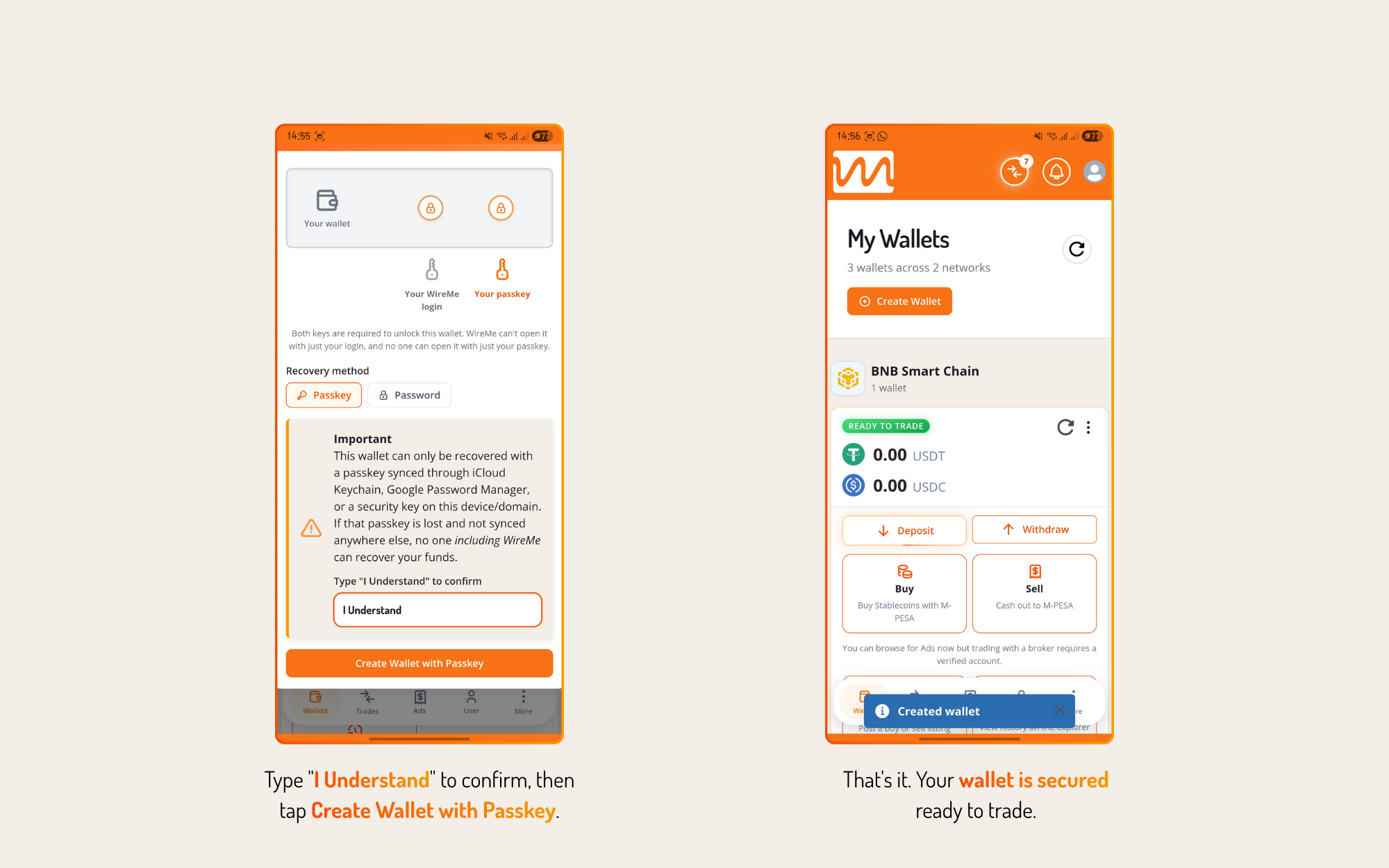
The WireMe steps are the same everywhere. Only the confirmation prompt changes, because your device saves the passkey, not WireMe.
Device | What you'll see | Where your passkey is saved |
|---|---|---|
iPhone, iPad, Mac | Face ID or Touch ID | iCloud Keychain, synced across your Apple devices |
Android | Fingerprint, face or screen lock | Google Password Manager, synced to your Google account |
Windows | Windows Hello, or a QR code to scan with your phone | Save it to your phone or Google Password Manager so it syncs |
Your passkey must be synced through iCloud Keychain or Google Password Manager, or kept on a security key. One saved only on a single computer can't be recovered if that computer is lost.
Lose your phone, keep your passkey
What if you lose or replace your phone? Sign in to your new phone with the same Google or Apple account, confirm with your old screen lock if asked, and your passkey comes with you.
That's why so many people are using passkeys. According to the FIDO Alliance's State of Passkeys 2026, an estimated 5 billion passkeys are now in use, and 75% of people have switched one on for at least one account.
Set it up today
When you create your WireMe wallet, choose Passkey and stop worrying about forgotten passwords for good.
New to WireMe? Get started here.
Your money, your keys, no password needed. #PaidIsPaid