How I pay international freelancers without transfer fees (and save money doing it)


Paying your freelancer in USDC from Coinbase can save you money. Freelancers usually eat the wire fees and a bad exchange rate, so they bake those costs into what they charge. Take those costs away and you can pay less while they keep more.
Deposit dollars from your US bank, send USDC on Base, and it lands in your freelancer's wallet in 11 seconds. Coinbase charged us nothing at either end. Here is the full flow, using a sample $1,200 invoice.
Step 1: Copy the address from the invoice
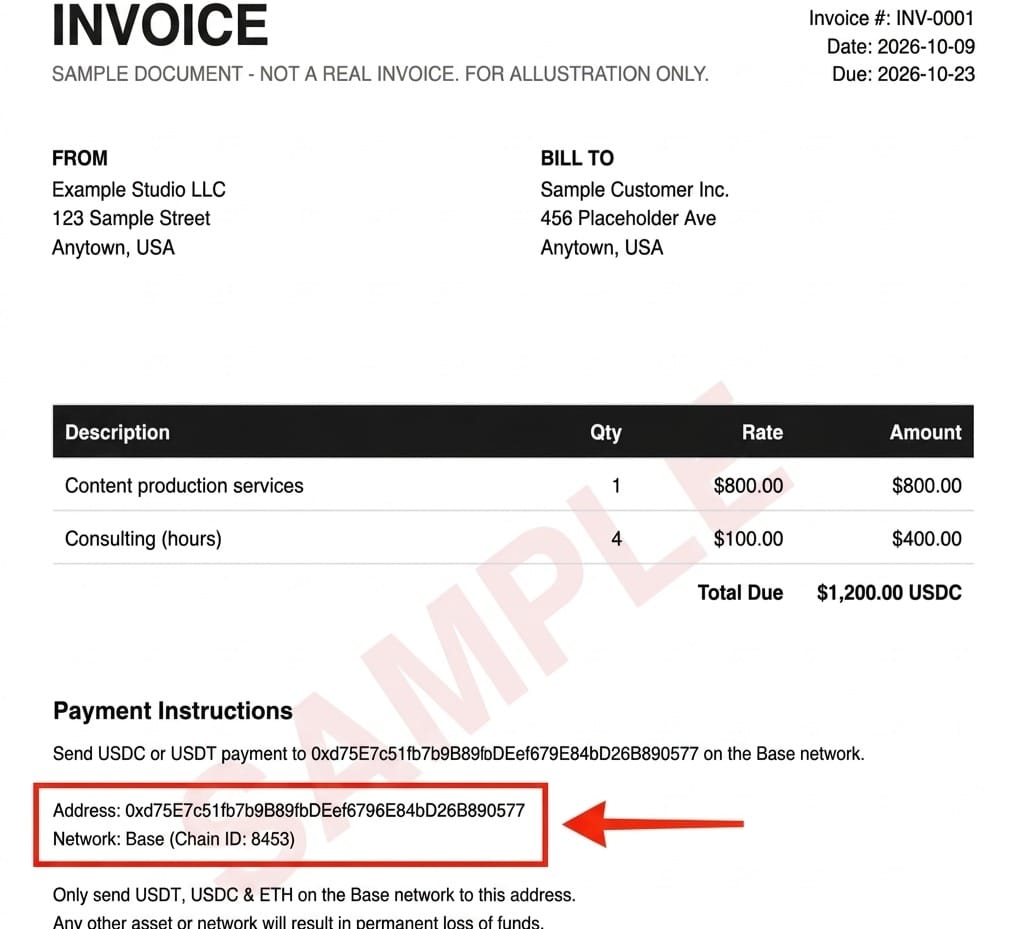
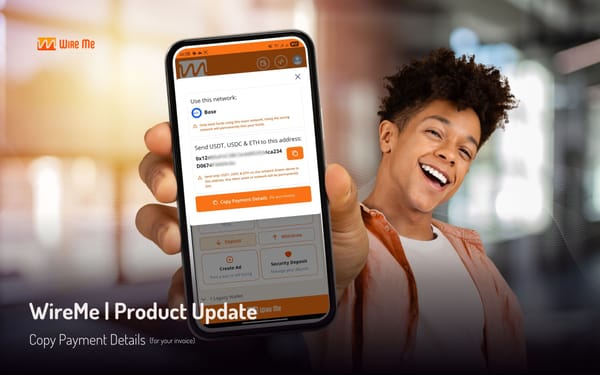
Open your freelancer's invoice and find Payment Instructions. The instructions should list the exact deposit address and the network. WireMe lets freelancers copy their payment details with one tap and paste them straight into their invoice, so there's no confusion. Copy the address and note the network (Base).
Step 2: Put dollars into Coinbase
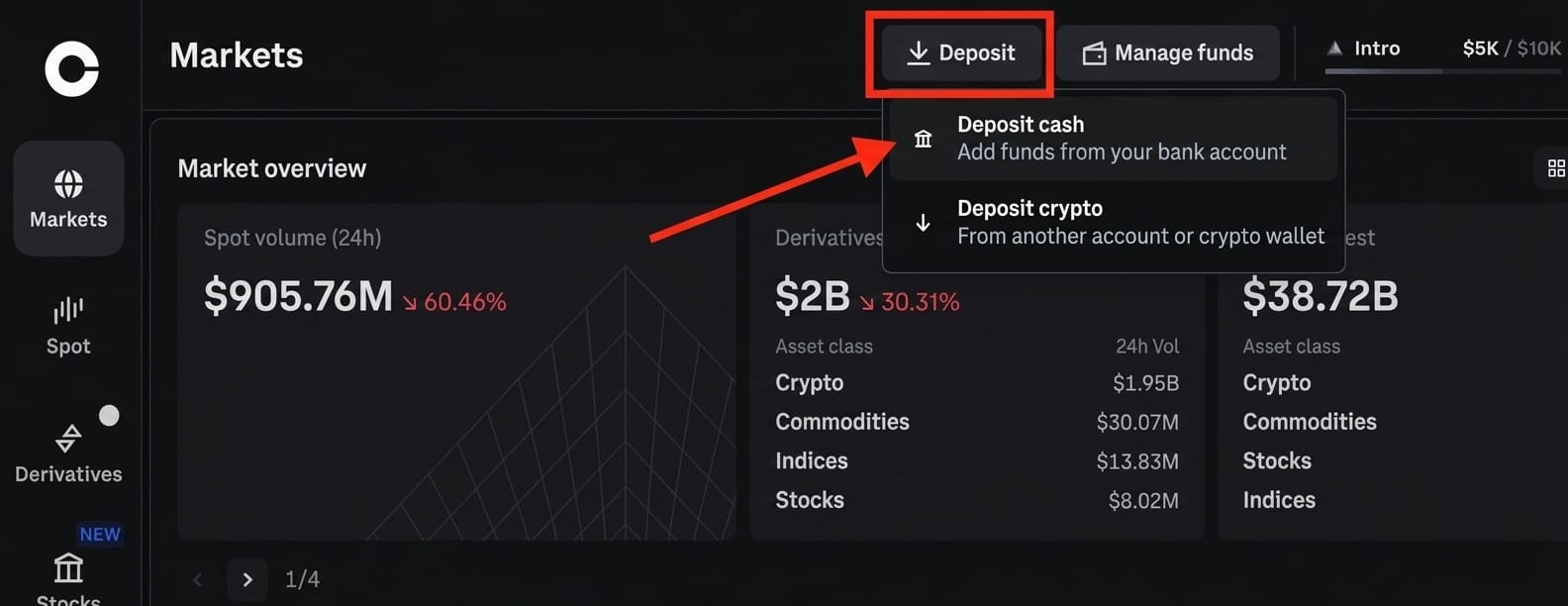
In Coinbase, click Deposit, then Deposit cash.
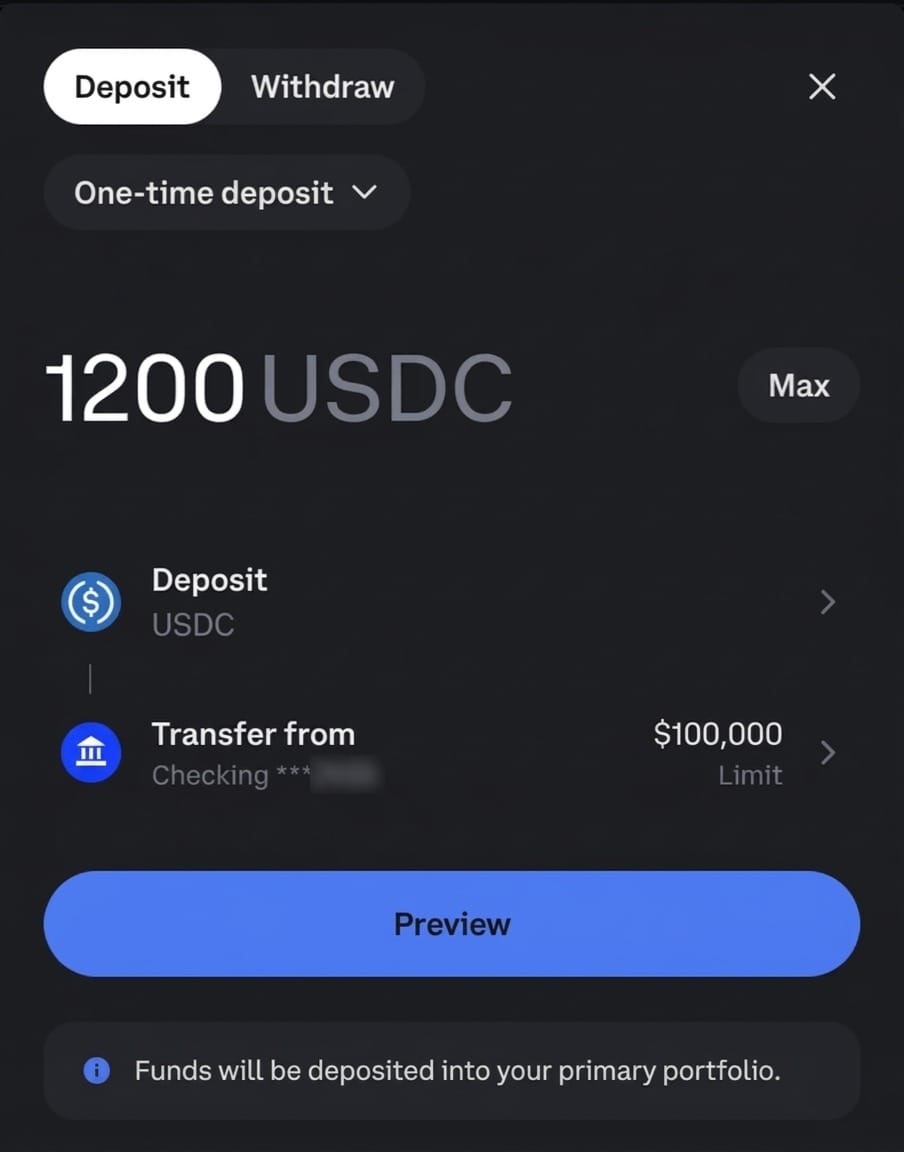
Enter the amount from the invoice, choose USDC and pick your linked bank account. The deposit goes straight into a USDC balance, so there's no conversion step.
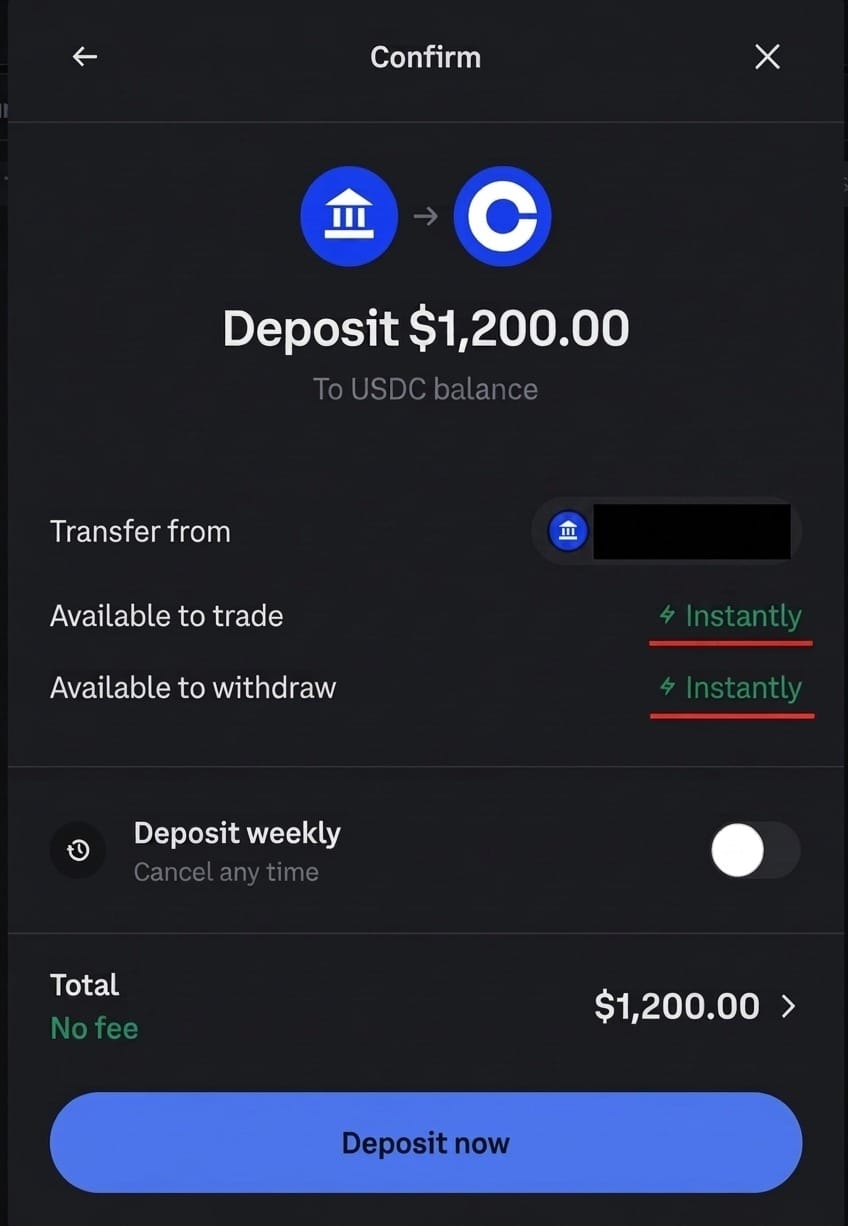
Review and click Deposit now. The confirm screen shows no fee, and the funds are available to withdraw instantly.
Step 3: Send the USDC directly to your freelancer
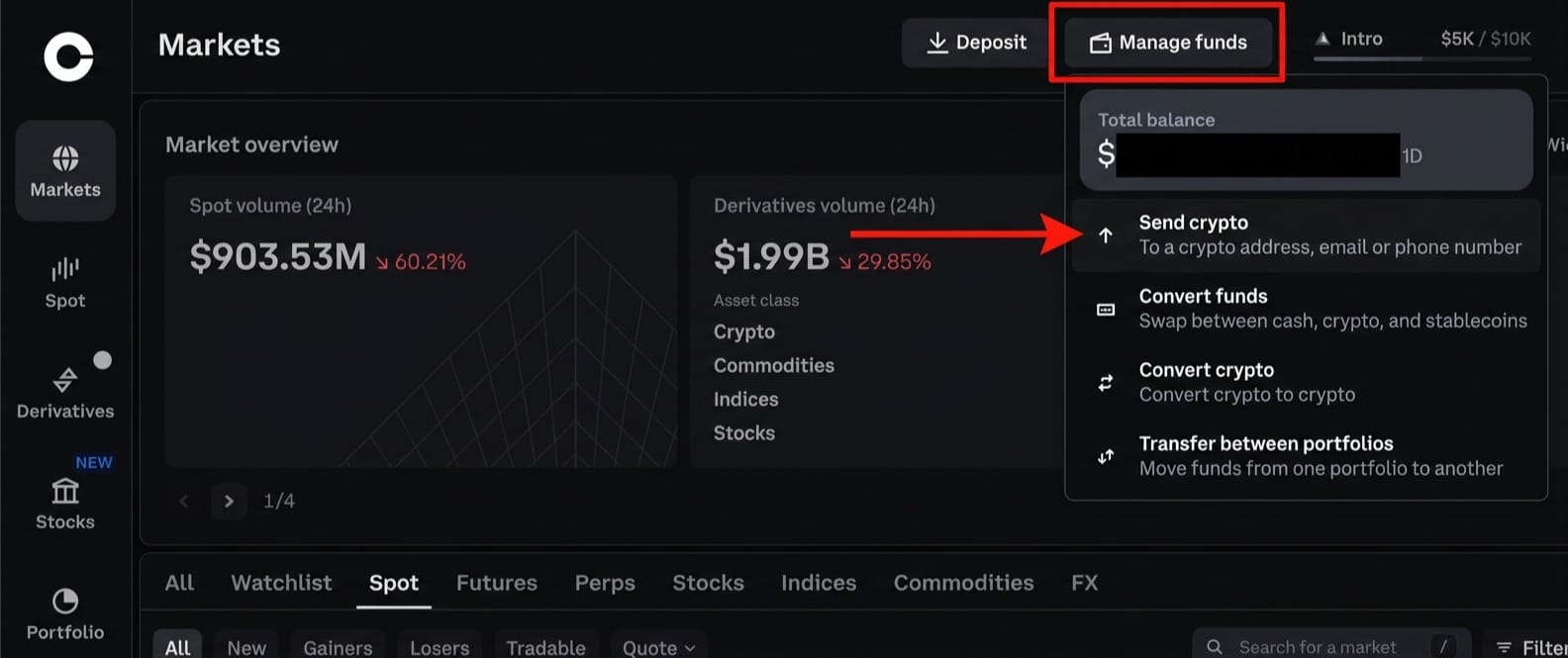
In Coinbase, click Manage funds, then Send crypto.
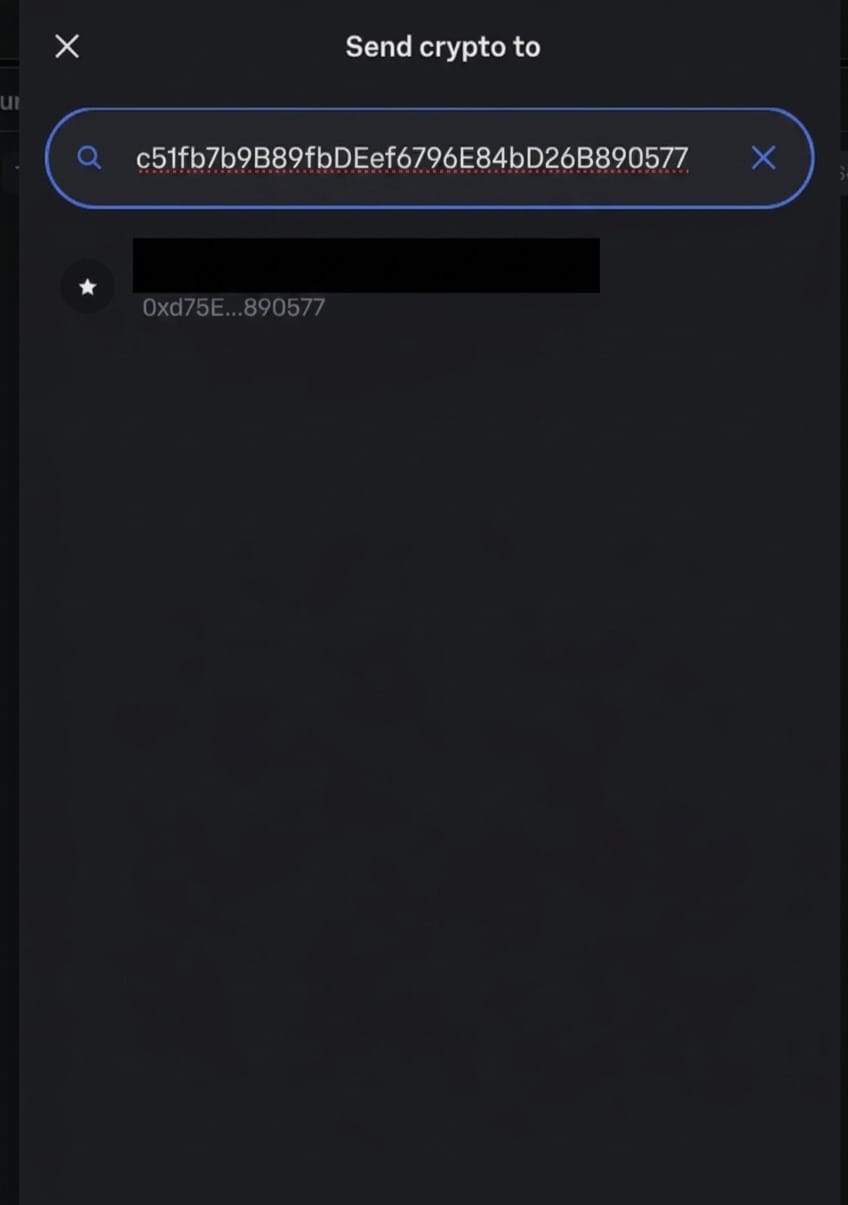
Paste the address from the invoice. Check that the first and last few characters match before you continue.
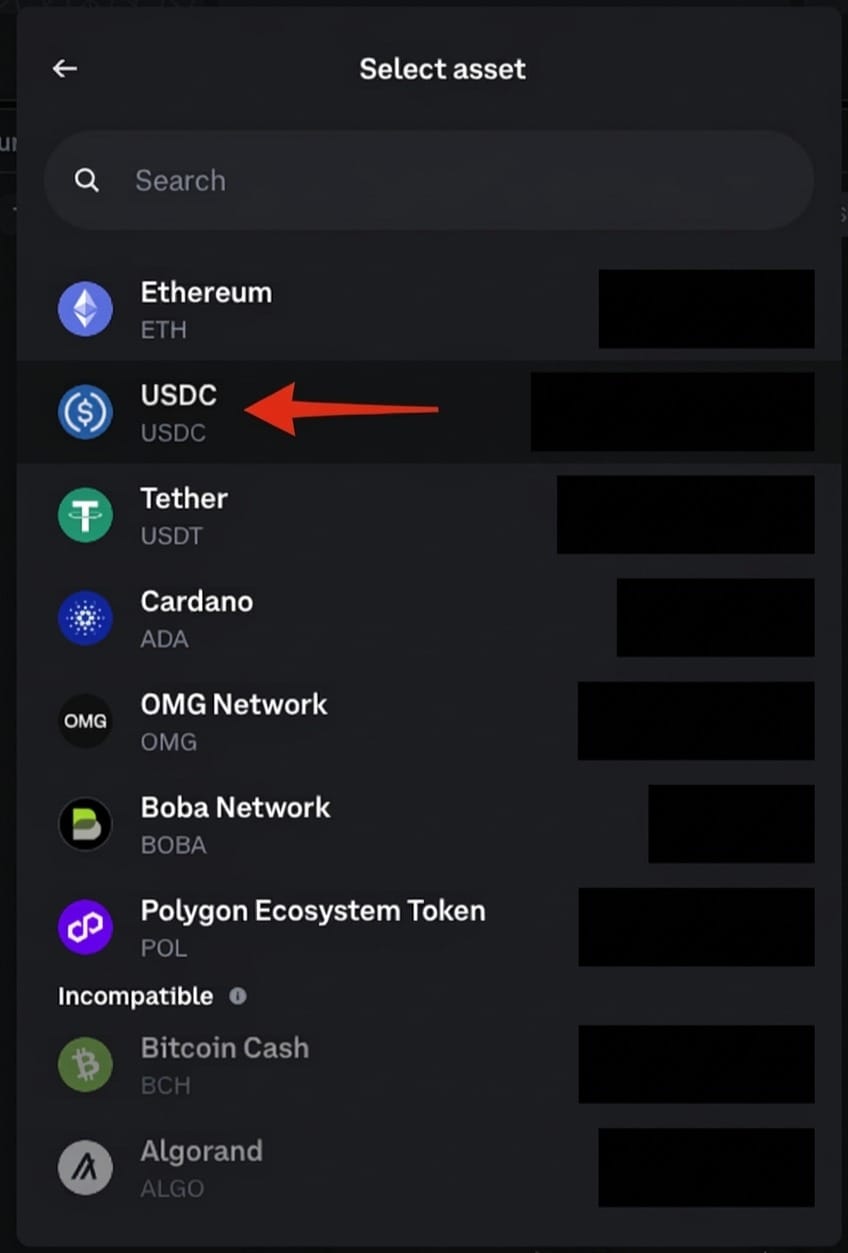
Select USDC.
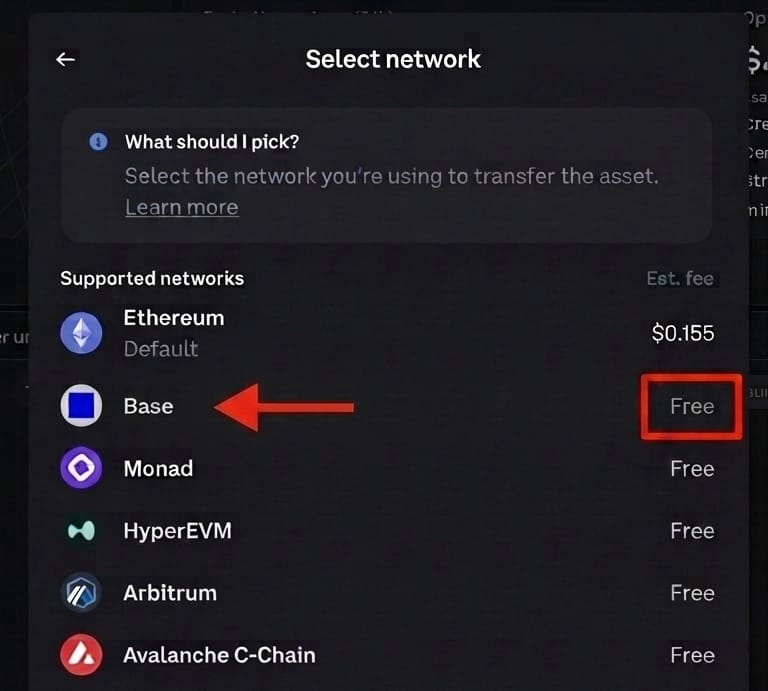
Choose Base as the network. This is the step that matters. Ethereum is the default and charges a fee, and sending on the wrong network can mean the funds are lost for good. Base is free.
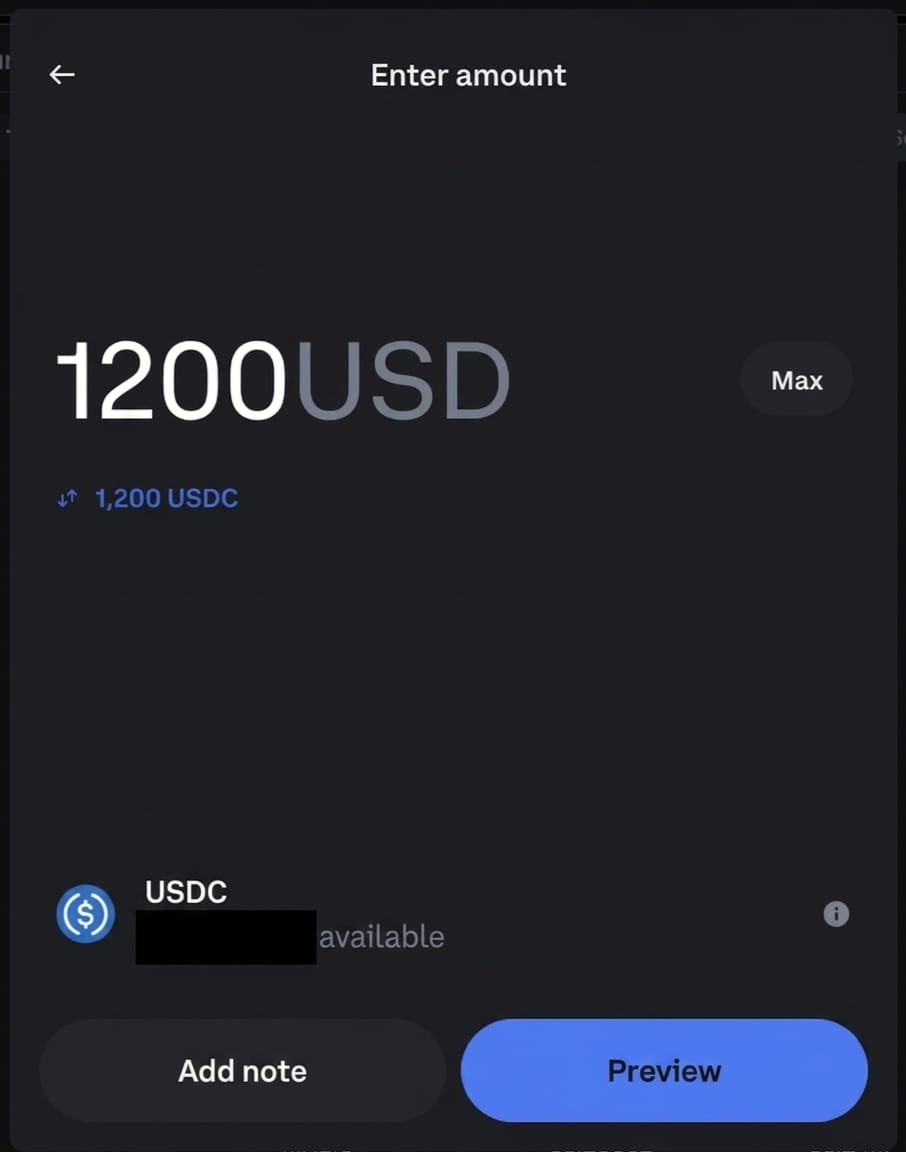
Enter the amount. Here that's 1,200 USD, shown as 1,200 USDC.
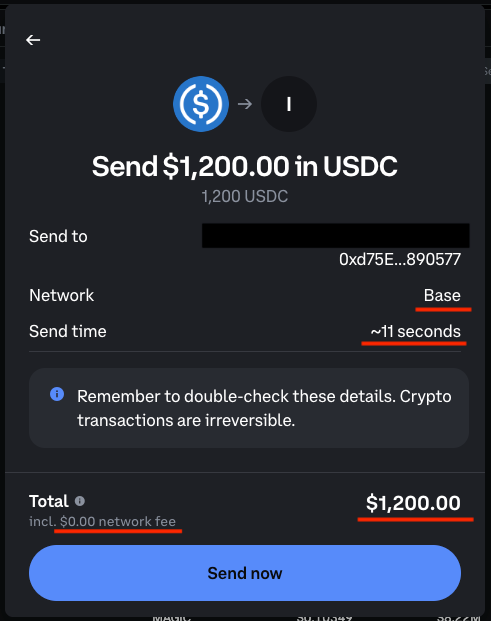
Review the details and click Send now. Coinbase shows a $0.00 network fee and an estimated send time of about 11 seconds.
Before you send
Crypto transactions can't be reversed. Check the address and the network twice. If this is your first payment to this freelancer, send $1 first and ask them to confirm it arrived. It costs nothing here.
Fees are what Coinbase showed on our own test in October 2026. They can change, so read the confirm screen before you click Send now.
What your freelancer gets
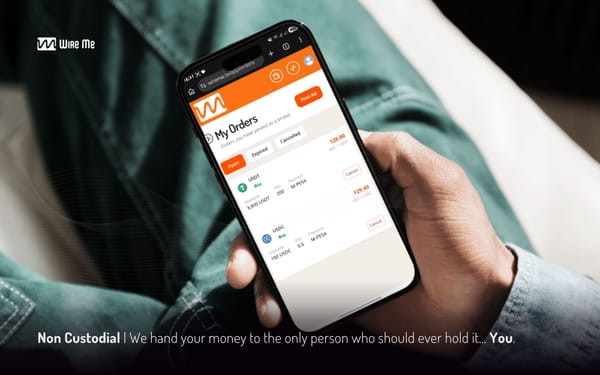
The full $1,200 lands in their wallet as USDC. They can hold it or cash out to M-PESA through a WireMe broker. You paid $0.
No fees. No delays. Happy freelancer.