How to Download Your Wallet's Private Key on WireMe

How to Download Your Wallet's Private Key on WireMe

You can now download your wallet's private key directly from WireMe.

This is what makes your WireMe wallet truly non-custodial: your funds live in a smart wallet controlled by your own key, not ours. Download it anytime and hold full control. No middleman or permission needed.

⚠️ Keep it offline and never share it. Anyone with your key can move your funds.

See photos below:
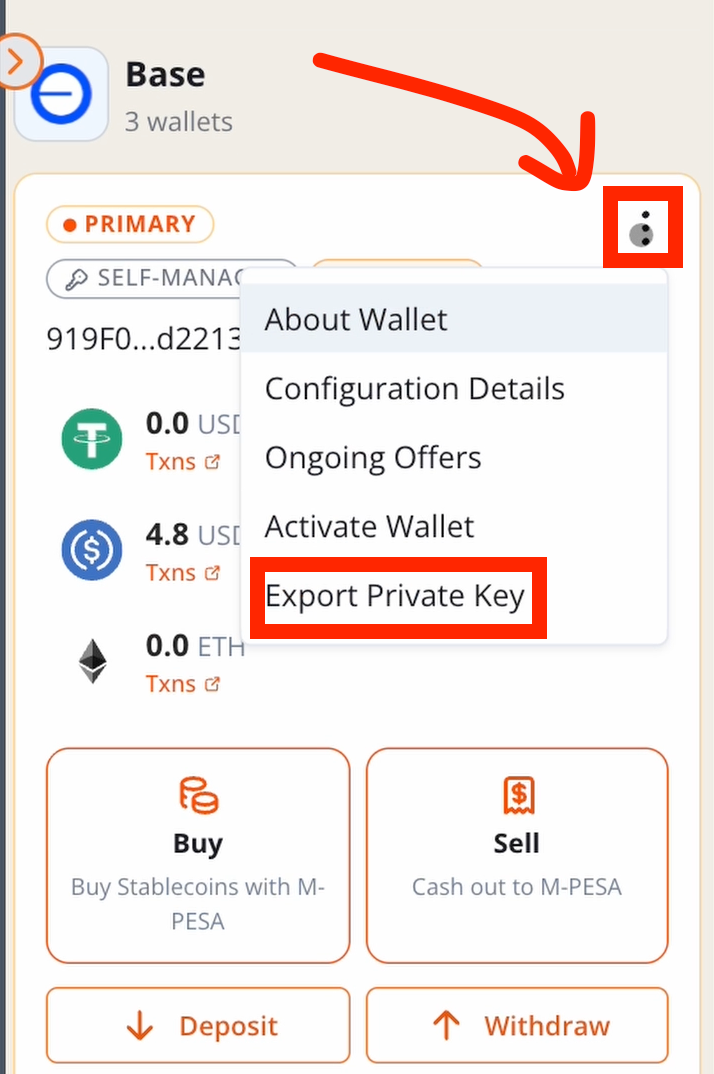
Open the 3-dots menu on your wallet and click "Export Private Key". Only "Self Managed" wallets have this option.
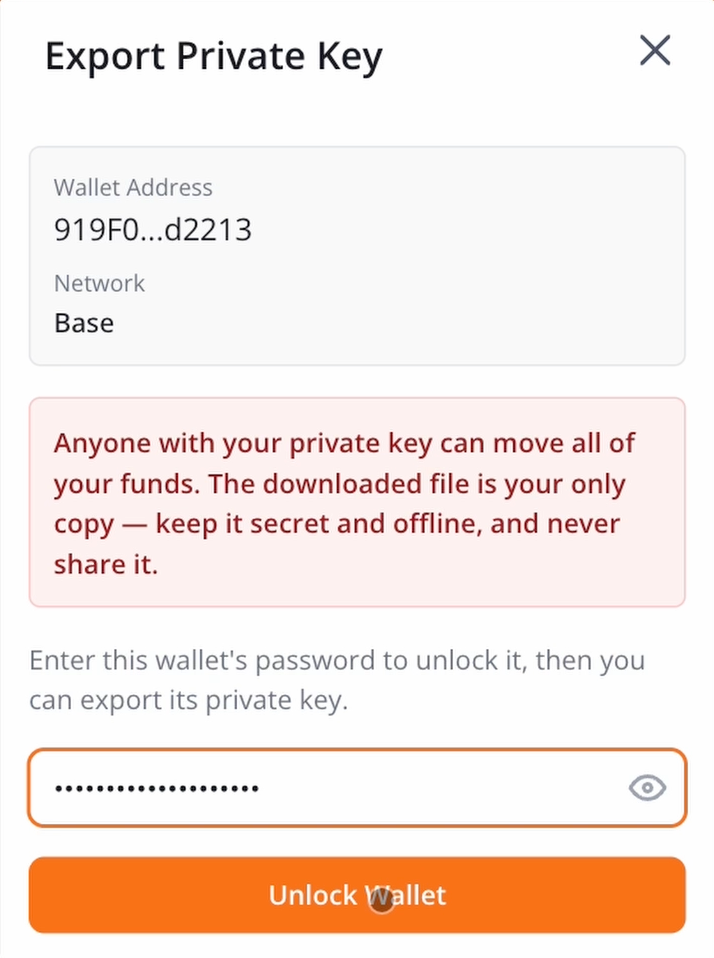
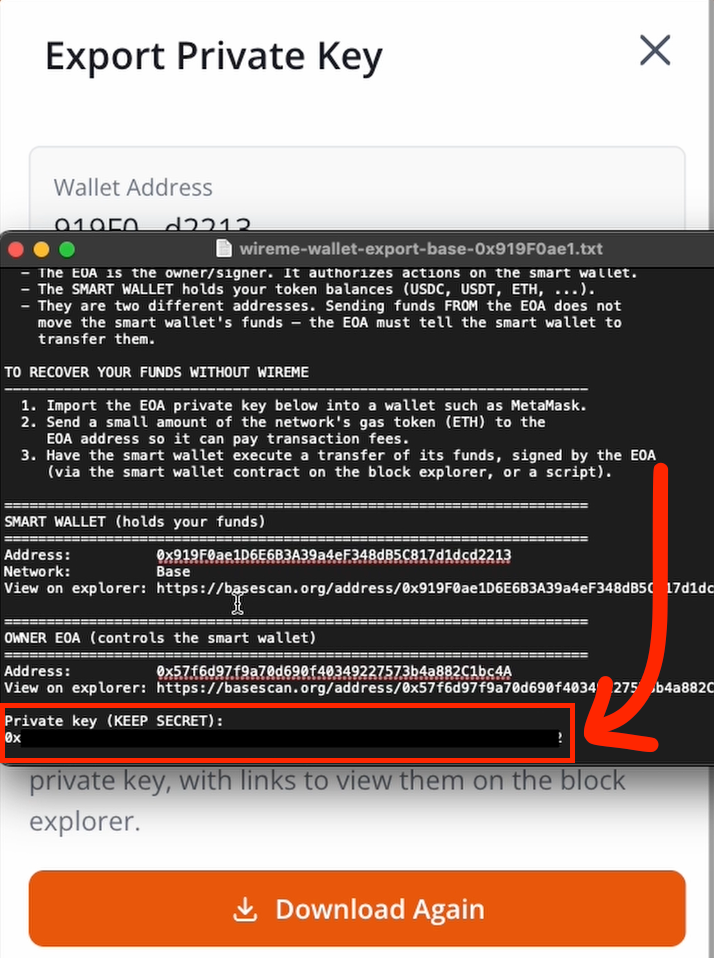
Type in your wallet password or use your wallet's passkey to unlock it. Then download the file.
Open the Text file that was downloaded. You'll see a description of your wallets. At the bottom is the private key that is needed to import your wallet elsewhere (Metamask, TrustWallet, etc)